
Choosing the best Note-Taking Software for Windows Users depends entirely on how your brain organizes information. Whether you are a student tracking lecture details, a professional managing project workflows, or a creative building a personal knowledge base, the right tool acts as an extension of your memory. Windows provides a unique ecosystem where deep integration with the operating system can significantly boost your daily productivity.
By evaluating your specific needs for speed, cloud synchronization, and offline access, you can move away from scattered sticky notes and toward a centralized digital workspace. This analysis highlights the top performers for Windows, helping you identify the platform that fits your habits without adding unnecessary complexity to your day.
The Top Contenders for Windows Productivity
If you want the most direct answer, Microsoft OneNote remains the gold standard for most people operating within the Windows ecosystem. It functions like a digital three-ring binder, offering infinite canvas space that few competitors can match. Because it is deeply integrated into the Microsoft 365 suite, it handles media, documents, and web clips with remarkable stability.
Users who prefer a more structured, document-based approach often gravitate toward Obsidian or Notion, which offer powerful linking capabilities for complex projects. Finding the best Note-Taking Software for Windows Users requires balancing these distinct philosophies against your personal workflow requirements.
Microsoft OneNote: The Default Powerhouse
OneNote earns its place as a top recommendation because it is free and deeply optimized for Windows hardware. You can capture text, drawings, and audio recordings on a single page, which is invaluable during meetings or lectures.
The software uses a hierarchical structure of notebooks, sections, and pages, allowing you to categorize information with precision. Because it syncs across all devices via OneDrive, your notes are always available whether you are at your desk or using a mobile device.
Why OneNote Excels on Windows
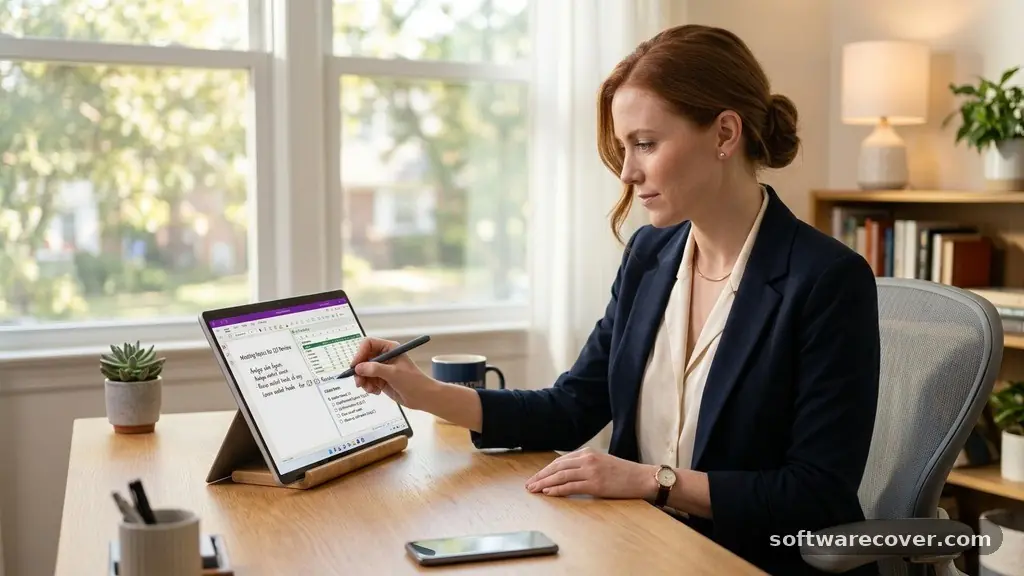
The software supports advanced touch and stylus input, making it the preferred choice for Surface Pro users. You can convert handwritten scribbles into typed text instantly, which bridges the gap between analog note-taking and digital storage. It also allows for embedding Excel spreadsheets and Outlook tasks directly into your notes. This level of interoperability keeps your work contained within one application, reducing the need to switch between windows to verify specific data points.
Obsidian: For Knowledge Management Enthusiasts
Obsidian takes a different path by storing all your notes as local Markdown files on your hard drive. This approach ensures you own your data entirely, independent of any cloud service or company server.
For many, this is the best Note-Taking Software for Windows Users who prioritize privacy and long-term data portability. The platform relies on a “graph view” that visualizes connections between different notes, helping you discover patterns in your thoughts over time.
Customizing Your Workflow
The true power of Obsidian lies in its vast plugin ecosystem. You can install community-made tools to add features like Kanban boards, calendar views, or complex data queries. While this requires a bit of initial setup, it allows you to build a system that is perfectly tailored to your specific project needs. It is essentially a blank canvas that grows more useful the more content you feed into it.
Notion: The All-in-One Workspace
Notion changes the game by treating every note like a block that can be moved, resized, or converted into different formats. You can build databases, task lists, and wikis within a single page, creating a highly organized information hub.
For teams or individuals managing complicated projects, it functions more like a project management tool than a simple notepad. Its Windows app is a wrapper for the web version, which ensures that your experience is identical regardless of which computer you are using.
Managing Complex Data
You can display your information in multiple views, such as galleries, tables, or boards, without ever changing the underlying data. This flexibility is perfect for tracking research, inventory, or personal goals in a highly visual way. Although it requires an internet connection for the best performance, the offline mode has seen significant improvements in recent updates. Many users find it to be the best Note-Taking Software for Windows Users who need to manage both notes and actionable tasks in one place.
Comparing the Leading Note-Taking Apps
Selecting the right tool often comes down to a direct comparison of features. The following table highlights how these major applications stack up against common user requirements.
| Application | Primary Strength | Data Storage | Offline Access |
|---|---|---|---|
| OneNote | Canvas Flexibility | Cloud (OneDrive) | Excellent |
| Obsidian | Local Control | Local Files | Full |
| Notion | Database Power | Cloud | Limited |
| Evernote | Web Clipping | Cloud | Moderate |
Evernote: The Veteran Web Clipper
Evernote remains a strong contender for users who rely heavily on capturing web content. Its web clipper extension is widely regarded as the most reliable in the industry, allowing you to save full articles, receipts, or research snippets with a single click.
For Windows users who spend most of their time in a browser, this functionality is a significant time-saver. The software excels at indexing text within images, making it easy to find a specific document buried in a scanned PDF or a photo of a whiteboard.
Managing High Volumes of Information
The search functionality in Evernote is particularly robust, utilizing optical character recognition to scan your uploaded images for text. This makes it an ideal choice for people who have massive archives of research or historical records. While the free tier has become more restrictive over time, the paid versions offer deep integration with professional tools like Google Drive and Slack. If your main goal is to consolidate information from across the web into one searchable repository, this app remains highly competitive.
Simplenote: Speed and Minimalism
Sometimes, the best software is the one that stays out of your way. Simplenote provides a clean, distraction-free environment for writing and organizing plain text.
It is incredibly lightweight, meaning it launches almost instantly on even the oldest Windows machines. For writers or developers who just need a place to jot down thoughts without formatting headaches, this is a top-tier choice.
The Benefits of Plain Text
By focusing on plain text, the app ensures that your notes are future-proof and compatible with almost every other program. You do not have to worry about proprietary formats or losing your data if the company changes its business model. It syncs across all platforms, ensuring that a note started on your phone appears on your Windows desktop in seconds. It is the perfect tool for capturing fleeting ideas before they vanish.
Key Considerations for Your Choice
When you evaluate the best Note-Taking Software for Windows Users, consider how you handle your workflow. Do you prefer a visual interface, or do you want to keep your hands on the keyboard?
Some users thrive on the visual freedom of a free-form canvas, while others find it chaotic and prefer the rigid structure of a database. You should also consider your reliance on cloud synchronization versus the need for local data security.
- Data Portability: Can you easily export your notes if you decide to switch apps later?
- Search Speed: How quickly can the app find a specific word or tag across thousands of notes?
- Mobile Integration: Does the Windows app sync flawlessly with your smartphone?
- Cost: Are you willing to pay a monthly subscription, or do you require a free, ad-free experience?
- Media Handling: Does the app support audio, video, and large file attachments?
Frequently Asked Questions
Is there a better alternative to OneNote?
Whether an alternative is “better” depends on your specific needs. If you find OneNote too cluttered, Obsidian offers a cleaner, more minimalist experience. If you find it lacks database power, Notion provides much more structure for managing complex tasks.
What is the best notepad for Windows that offers total privacy?
Obsidian is widely considered the best choice for privacy because it stores your data locally on your computer. You retain complete control over your files, and no third-party company can access or sell your information.
Does Microsoft still support its built-in note tools?
Yes, Microsoft continues to update OneNote as part of its commitment to the Windows ecosystem. You can find more information about current development updates on the official Microsoft support portal.
Can I use a note-taking app for project management?
Notion is specifically designed to bridge the gap between note-taking and project management. Its database features allow you to track deadlines, assign tasks, and manage project status within the same workspace where you keep your meeting notes.
How do I choose between local storage and cloud sync?
Choose cloud sync if you frequently switch between multiple devices like a laptop, a desktop, and a phone. Choose local storage if you work primarily from one machine and prioritize data security, privacy, and absolute ownership of your files.
Final Thoughts on Choosing Your Tool
Finding the best Note-Taking Software for Windows Users is a journey of matching digital tools to your personal cognitive style. There is no single “correct” answer, only the application that feels most natural when you are trying to capture a complex idea. Whether you choose the infinite canvas of OneNote, the structured power of Notion, or the local control of Obsidian, the most important factor is consistency.
Start by testing one or two of these options for a week to see how they handle your actual daily workload. Once you find a system that reduces your friction, stick with it and watch your productivity grow. Your digital archive will become a valuable asset that saves you time for years to come.