
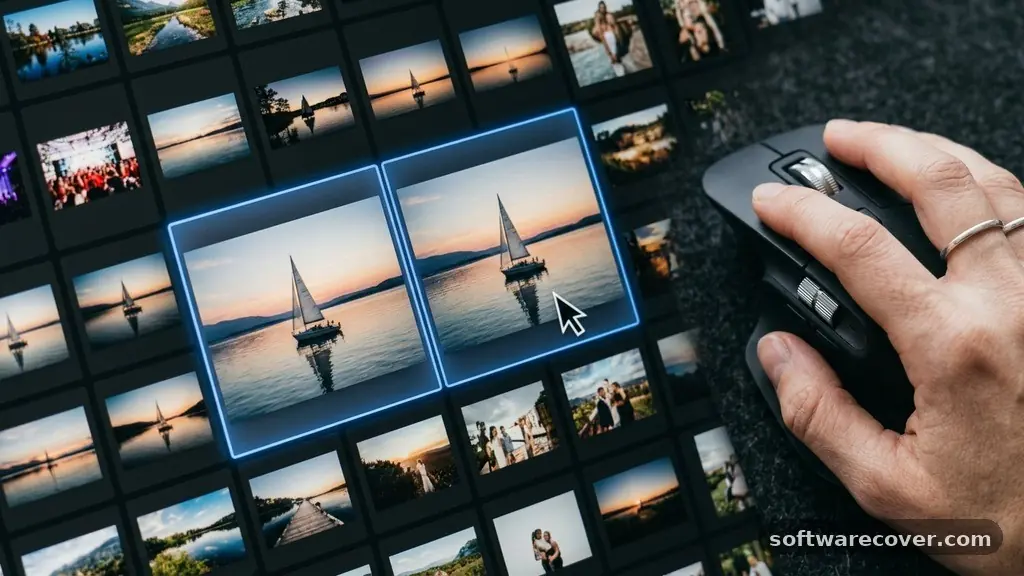
Finding the best Free Software for Finding Duplicate Photos can turn a chaotic, cluttered digital library into a streamlined collection. Digital storage often fills up with hidden redundant images, screenshots, and accidental backups that waste valuable drive space.
By using the right tools, you can reclaim gigabytes of storage without spending a dime. This article explores how to identify, compare, and safely remove these unnecessary files to keep your computer running efficiently.
The Top Contenders for Duplicate Detection
If you are looking for the absolute best Free Software for Finding Duplicate Photos, you should start with tools that balance speed with safety. Most users find success with lightweight utilities that focus purely on image comparison rather than general file management. These programs use algorithms to compare the actual visual content of your images, which is much more effective than just checking file names.
The most highly regarded option for Windows users is often Awesome Duplicate Photo Finder. It is completely free, does not contain bloatware, and performs a visual comparison rather than just a hash check.
This means it can identify files that have been resized, cropped, or saved in different formats. Many users report that it clears out thousands of duplicates in minutes, making it a highly efficient choice for those with large photography collections.
Understanding How Duplicate Finders Work
Most effective photo finders utilize two primary methods to identify redundant files: byte-for-byte comparison and visual similarity analysis. The former checks the digital signature of the file, which is perfect for exact copies.
If the bitstream is identical, the software flags them as duplicates. This method is incredibly fast but will miss images that have been slightly edited or re-exported.
Visual similarity analysis is the more sophisticated approach used by the best Free Software for Finding Duplicate Photos. These tools look at the actual pixels of the image to determine if the content matches.
By analyzing color distribution and structural patterns, the software can detect duplicates even if one file is a smaller resolution or a different file type. This requires more processing power but is far more accurate for messy photo libraries.
Key Features to Look for in Free Tools
When selecting a tool, you need to prioritize safety features that prevent you from accidentally deleting unique files. A “preview” function is non-negotiable, as it allows you to see both images side-by-side before you confirm a deletion. You should also look for a “smart selection” feature that automatically keeps the highest-resolution version of an image while flagging the smaller ones for removal.
Another essential feature is the ability to exclude specific folders. You might have system folders or application-specific directories that contain duplicate files required for software functionality.
If a tool doesn’t allow you to whitelist these directories, you risk breaking your installed programs. Always verify that the software supports common formats like JPEG, PNG, TIFF, and RAW files to ensure your entire library is covered.
Efficiency and Speed of Scanning
The time it takes to scan your drive is often the biggest factor in user satisfaction. Some programs are designed to run in the background, consuming minimal CPU resources, while others are built for a quick, intensive scan.
If you have a massive library spanning several terabytes, look for software that supports multi-threaded scanning. This allows the application to process multiple folders simultaneously, which drastically reduces the wait time.
You should also consider whether the tool saves its scan results. If the scan takes an hour, you do not want to repeat that process every time you reopen the application.
The best programs store a database of the scanned files, allowing you to review your duplicates at your convenience over several days. This makes the cleanup process much less overwhelming for users with hundreds of thousands of images.
Comparing Popular Free Solutions
To help you decide, consider how these tools stack up against one another in terms of functionality. While many “free” tools are actually “freemium,” meaning they lock the deletion feature behind a paywall, the options listed below offer genuine, usable free functionality for the average user.
| Software Name | Visual Comparison | Ease of Use | Best For |
|---|---|---|---|
| Awesome Duplicate Photo Finder | Yes | High | Windows Users |
| Visipics | Yes | Medium | Advanced Filters |
| Duplicate Cleaner Free | Yes | High | General Cleanup |
| Ccleaner (Free Version) | No | High | General File Duplicates |
Safety Precautions Before Deleting
Before you commit to deleting files, you must establish a safety protocol. Even the most reliable software can occasionally misidentify images if they are very similar but technically different.
Always perform a backup of your photo library to an external drive or cloud service before initiating a mass deletion. This ensures that if you accidentally remove a file you needed, you have a simple way to recover it.
Another tip is to start by scanning a single folder rather than your entire hard drive. This allows you to test the software’s logic and see if it correctly identifies the files you intend to remove.
Once you are comfortable with how the software displays duplicates and how it handles the deletion process, you can expand the scope to your entire drive. Never rush the process; deleting thousands of files at once can have unintended consequences.
Managing Similar Files Versus Exact Duplicates
It is crucial to distinguish between exact duplicates and “similar” images. An exact duplicate is a file that is byte-for-byte identical, which is perfectly safe to delete.
Similar images, however, are often burst shots taken by a camera or multiple versions of an edited photo. While you might want to clear these out to save space, you should treat them with more caution than exact copies.
The best Free Software for Finding Duplicate Photos will give you granular control over similarity thresholds. You can usually adjust a slider to determine how strictly the software defines a “match.”
A high threshold will only find nearly identical files, while a lower threshold will group together photos taken in the same burst. Understanding this distinction saves you from accidentally losing the best shot in a sequence.
Organising Your Library Post-Cleanup
Once you have removed your duplicates, your job isn’t quite finished. Now is the perfect time to implement a folder structure that prevents clutter from accumulating in the future.
Many people find that using a date-based folder system (Year/Month/Day) helps them quickly identify where new photos belong. This habit makes it much easier to spot duplicates manually before they even become a problem.
Consider using photo management software that automatically imports files into a structured database. These tools often have built-in detection features that notify you if you are attempting to import a file that is already in your library. By combining a good import workflow with the periodic use of a duplicate finder, you can keep your digital life organized for years to come.
- Back up your entire photo library before running any scanning tool.
- Use a “visual” scanner rather than a “hash” scanner for better results.
- Test the software on a small folder before scanning your entire drive.
- Check the “similarity slider” to avoid deleting unique burst-mode photos.
- Enable the “preview” mode to verify matches before hitting delete.
- Keep your source images organized by date to prevent future accumulation.
Frequently Asked Questions
Is there a free program that can identify duplicate photos?
Yes, there are several reliable, completely free programs designed specifically for this purpose. Tools like Awesome Duplicate Photo Finder and Duplicate Cleaner Free are widely used and do not require a subscription to perform their core functions.
What is the best software for identifying duplicate photos?
The “best” software depends on your specific needs, but most users prefer tools that offer visual comparison. This feature ensures that the software identifies images based on content rather than just file names, which is much more accurate for managing large collections.
Can these programs damage my operating system?
Reputable duplicate photo finders are designed to scan only user-created files like JPEGs or PNGs. They typically avoid system directories, but it is always best practice to use the “exclude folder” settings to ensure the software does not touch critical system files.
Do I need to pay for a premium version to delete files?
While many companies use a “freemium” model where the deletion feature is locked behind a paywall, there are still excellent open-source or free-to-use alternatives available. Always check the features list on the developer’s website before downloading to ensure that the free version allows for batch deletion.
How long does a scan usually take?
The duration of a scan depends on the number of photos and the speed of your hardware. A small collection might take just a few seconds, while a library with hundreds of thousands of images could take an hour or more. Most modern tools are efficient enough that the time spent scanning is well worth the storage space saved.
Final Thoughts
Maintaining a clean digital photo library is a rewarding task that simplifies your life and reclaims valuable storage space. By selecting the right tool and following safe deletion practices, you can effectively manage your files without any unnecessary expense. The best Free Software for Finding Duplicate Photos will provide you with the visual confirmation you need to feel confident in your cleanup efforts.
Take the time to back up your data, choose a reputable utility, and enjoy the relief of a clutter-free computer. With these steps, you are well on your way to a more efficient and organized digital workspace.